Visual workflows
Plan a Product Photography Shot List with AI
Plan product photos with AI using a shot matrix, feature priorities and crop requirements. Includes a reusable shot list and a prompt for a consistent photo brief.
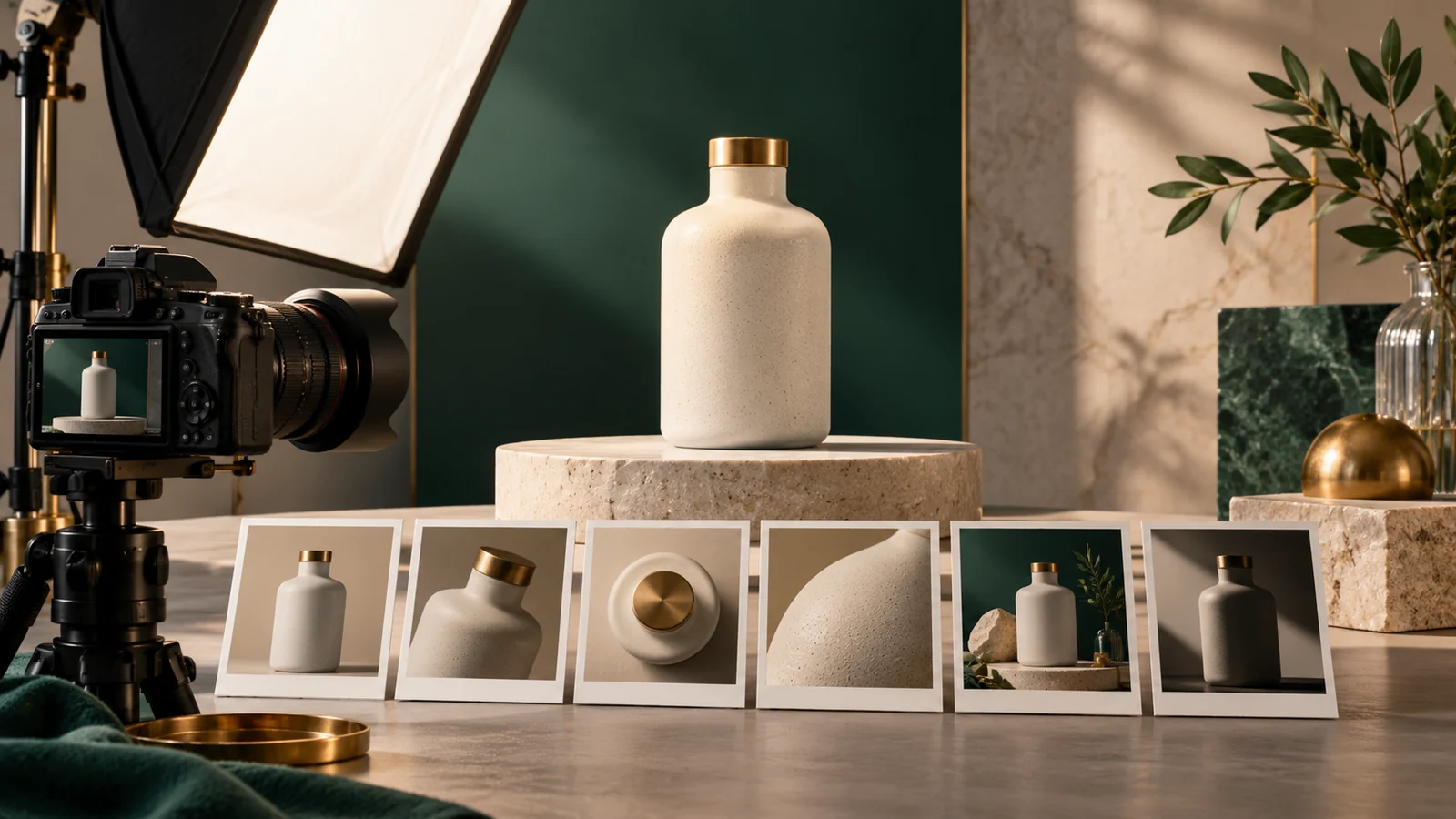
Plan a product photography shot list with AI by describing the product, the buyer questions and the channels where images will appear. Ask for a shot matrix that connects each image to a purpose, required detail and crop. Review the list against the real product before booking a shoot or generating concepts.
The goal is coverage with consistency. A beautiful hero image may still leave shoppers uncertain about scale, texture, included accessories or how the product is used.
Start with buyer questions#
List what a shopper needs to know visually. For a fictional ceramic bottle, that might include overall shape, surface finish, opening, scale and packaging. For clothing, fit and construction may matter more. Use actual customer questions when available.
Separate factual product images from conceptual campaign artwork. A generated mood scene can support a campaign, but it should not imply an accessory, finish or feature that the real product does not have.
Build a shot matrix#
| Shot | Buyer question | Required detail | Crop or channel |
|---|---|---|---|
| Primary view | What does the item look like? | Accurate shape and color | Product listing |
| Side or rear view | What is hidden in the first view? | Relevant construction | Product gallery |
| Detail | What is the material or mechanism? | Texture, opening or fastening | Zoomable gallery |
| Scale view | How large is it? | Verified dimensions or honest context | Product page |
| In-use view | How is it handled? | Realistic use and proportions | Guide or campaign |
| Included items | What arrives in the package? | Only verified contents | Product gallery |
Use the matrix to identify gaps before producing images. Do not add a lifestyle scene merely to reach a fixed number if it does not answer a useful question.
Copy this shot-list prompt#
Create a product image shot list for [product and audience].
Verified dimensions, materials, colors, features and package contents:
[paste]. Buyer questions: [paste]. Channels and crop needs: [paste].
Return shot purpose, angle, framing, required detail, props, lighting,
crop variants and accuracy checks. Mark factual product photography
separately from conceptual campaign imagery. Do not invent features,
accessories, scale cues or product claims. Prioritize essential coverage.
Ask for production notes only after the core coverage is right. A long list of props and lighting equipment is not helpful if the main product detail is still missing.
Plan consistency across the set#
Define background, camera height, lighting character and product orientation. Record which differences are intentional. A consistent gallery helps a shopper compare views without wondering whether they show different product variants.
For multiple colorways, decide which shots each variant needs. Do not recolor a generated image and assume the result matches the manufactured color. Compare with the actual product and approved color reference.
Make scale evidence honest#
A familiar prop can communicate approximate scale but may also introduce ambiguity. Use verified dimensions in the surrounding product information and ensure the image's proportions are accurate. AI-generated hands, furniture or accessories can distort the apparent size.
For a true size comparison, photograph or verify the relevant objects together. If a generated scene is conceptual, identify it appropriately and avoid relying on it as the only evidence of dimensions.
Create a separate brief for generated concepts#
When using AI for mood or composition exploration, provide the product reference and preservation constraints. State which details are fixed and which parts may change. Review edges, labels, geometry and reflections before considering the result usable.
Do not describe a generated image as a customer photograph or a real product test. A concept can be valuable without pretending to be documentary evidence. Keep the original reference and generation prompt in the asset record.
Check channel requirements before export#
Different placements need different crops and backgrounds. A wide article cover and a square marketplace listing do not necessarily work from the same tight composition. Leave enough safe space when multiple crops are required.
Google Merchant Center's image requirements are a primary reference for products submitted there. Check the current rules for the actual destination rather than applying marketplace assumptions to every image.
Review the finished gallery as a buyer#
Look through the images without the production brief. Can you identify the item, see the important details and understand what is included? Compare every factual image with the product and check whether props could be mistaken for included accessories.
Then inspect technical quality: crop, sharpness, color consistency, file size and alt text. Use the lighting prompt guide for concept direction and web image optimization for publishing. For clothing dimensions, use the size-guide workflow.
Common questions#
How many product photos do I need?#
Use enough images to answer the buyer's important questions and meet the channel's requirements. Coverage and accuracy matter more than a universal image count.
Can AI replace every product photograph?#
Generated imagery needs verification against the real item and the destination's rules. It can help with concepts, but do not assume every generated view is accurate evidence of the product.
Should props appear in product images?#
Use props when they help explain context and the channel permits them. Make sure shoppers can distinguish the product and included contents from decorative objects.
Download the working files#
Download the copyable prompt and download the illustrative worksheet (CSV). Replace example data with your own verified inputs; the worksheet is a planning aid.
Browse the English AI workflow guides for related tasks.
Put the workflow into practice
Start with the copyable prompt and a small example you can verify. Choose a tool that supports your input type, and review its output before using it.
Open GPT PlusThe app interface is primarily Persian. Available models and tools are shown in the app.
Continue with a related guide

AI Image Lighting Prompts: Control Direction and Mood
Control AI image lighting with specific direction, source size and shadow instructions. Includes adaptable prompts for soft daylight, rim light and product scenes.
AI Translation QA: A Checklist for Meaning and UI Fit
Check AI translations with a terminology glossary, number checks and UI context. Includes a bilingual QA workflow and a prompt that separates errors from preferences.
Optimize AI Images for the Web: WebP, AVIF and Alt Text
Prepare AI-generated images for websites with sensible dimensions, WebP or AVIF, descriptive filenames and contextual alt text. Includes an image publishing checklist.